Add-ons Usage
Manage installed packages
Open Add-ons → Manage.
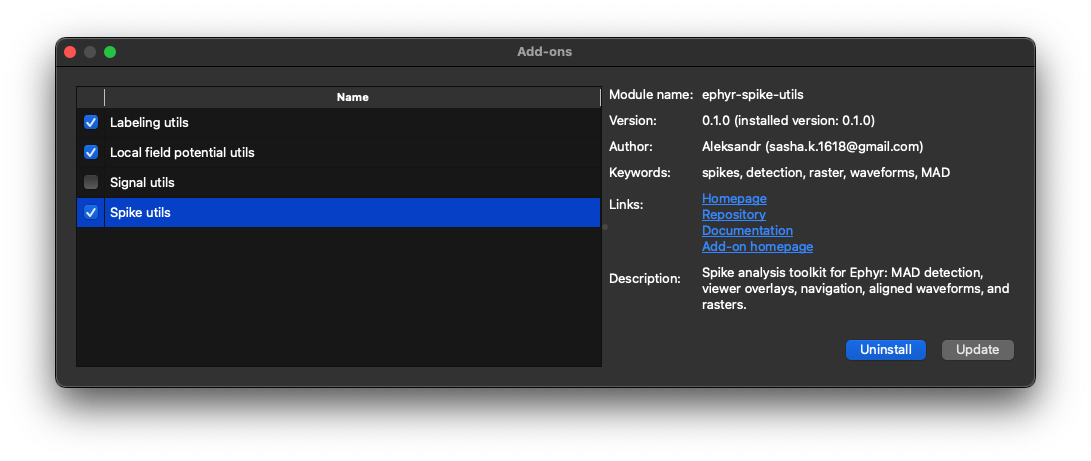
The dialog loads the remote catalog and shows:
| Area | Purpose |
|---|---|
| Left list | Available packages with install state and name |
| Details | Module name, version (remote and installed), author, keywords, links, and description |
| Install | Downloads and installs the selected package into the Ephyr environment |
| Update | Upgrades an already installed package |
| Uninstall | Removes the package and cleans related session toggles / experiment add_ons/data for that module |
Use Manage when you want to add tools from the published catalog, keep them up to date, or remove ones you no longer need. Package sources are published in the ephyr-add-ons repository.
Search and run from the side panel
Show the Add-ons section with View → Tools → Add-ons (or ensure the right panel is visible via Panel).
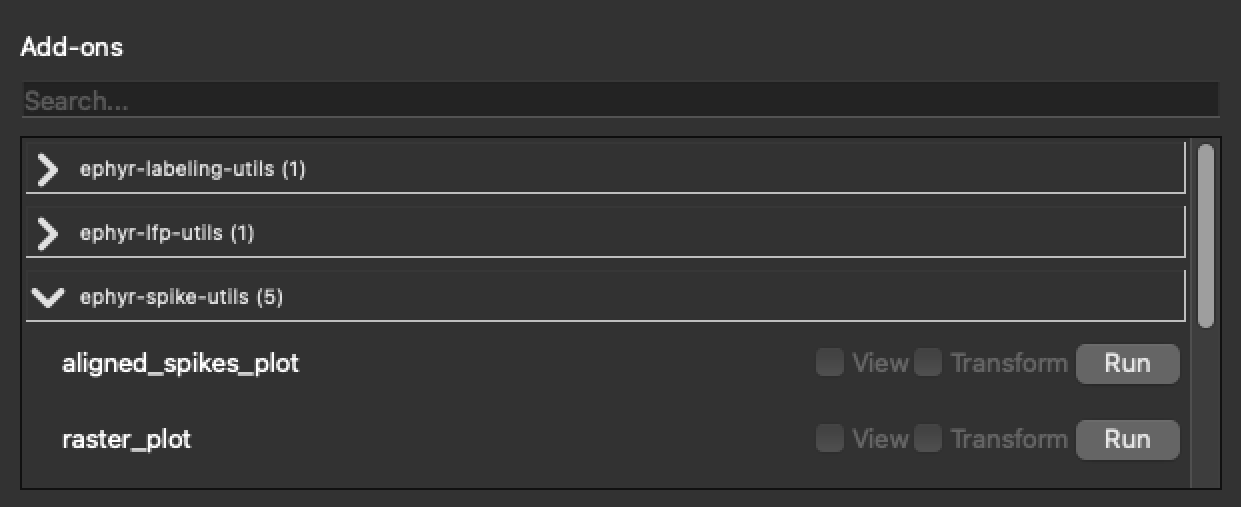
| Control | Purpose |
|---|---|
| Search | Filters the list by add-on label |
| Groups | Installed distributions and Development add-ons (dev_* modules loaded from ./add_on_development) |
| View | Enables Viewable drawing when the add-on supports it |
| Transform | Enables Transformation in the display pipeline when supported |
| Run | Starts a Runnable add-on; progress may appear in a loading dialog |
Typical workflow:
- Install the package from Manage (or develop locally under
add_on_development). - Open the side panel and find the add-on.
- Click Run if it needs configuration or batch processing.
- Enable View and/or Transform so results affect the signal panel while you annotate.
See Workflow for how the three capability types interact with signal data.